How to Read a Public Notice on a Board or Web Page
Public notice formats shape what residents can find quickly. Learn how to read a posted notice and its web version without missing essential details.
Where can you find the details that matter when a public notice appears on a library board, a town website, or both? Public notice formats affect how residents discover community information: a paper display may catch your eye during a visit, while a web page can make related documents easier to open and search.
Use the noticeboard as a local discovery point
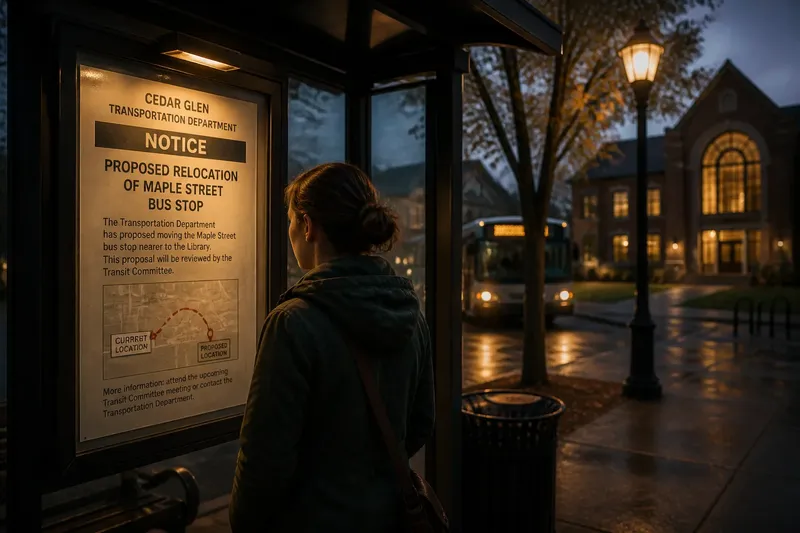
A physical noticeboard puts information in places residents already visit, such as a municipal building, library, post office, or community center. A sheet beside a planning counter might concern a land-use topic, but location alone does not establish who posted it or whether the board serves an official purpose.
Read the board’s label and the notice’s heading. A municipal display marked for official notices differs from a general community board where residents and organizations can post flyers. A government seal or familiar logo may help you identify an office, but it does not establish that the notice satisfies the rules for a particular matter.
Paper displays can also reveal nearby material that a search might miss: a related map, a second notice, or a revised sheet. If a document is covered, faded, or too small to read, ask staff where a legible copy is available rather than filling in the missing words from context.
Use the agency website to access documents and services
An agency website can connect a notice to practical tools: a comment form, a meeting agenda, a map, a department contact, or a records portal. Look through sections such as “Public Notices,” “Planning,” or “Agendas and Notices.” If a general search engine leads to a repost, use the agency’s site to find the relevant page or attachment.
Different formats serve different purposes. A web page may have selectable text and links; a PDF may preserve a signed or designed document; a scanned image may be the only file offered, even though its text cannot be searched. Open attachments rather than assuming the page contains all the material. If a scan is hard to read, request an accessible or clearer copy from the office listed.
Public notice formats can also connect residents with participation options. Look for instructions about attending a meeting, submitting a comment, requesting an accommodation, or viewing a document. Do not assume that a notice invites every kind of response; follow the instructions it actually provides and ask the responsible office about unclear procedures.
Read a notice for its purpose and practical details
Start by identifying the public body and the topic. The issuer might be a city department, county office, school district, or transit agency. The subject could involve a service, property, meeting, permit, or public document. These details help you decide which office or community issue the notice concerns.
Next, distinguish the notice’s purpose from its supporting information. It might announce a meeting, tell residents where to inspect a filing, invite comments, or provide access to a form. Those functions are not interchangeable. Note the exact date, time, location, and response method if any appear, and contact the named office if an instruction is unclear or time-sensitive.
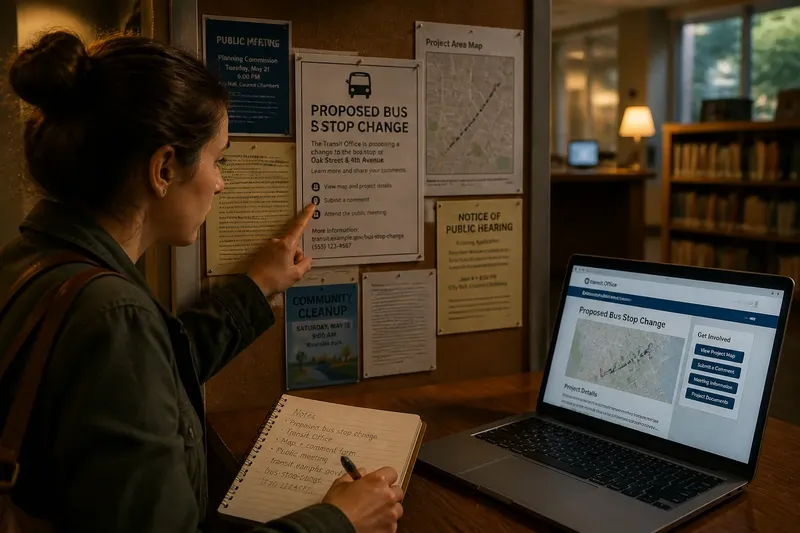
Say you are looking for information about a proposed bus stop change and find a notice at a branch library. It names a transit office and points readers to a map and comment form. You open the agency’s transit page, locate the linked map, and use the stated form to send a comment; the observable result is that you have the referenced location information and a record of the submission method you used. If the form is missing, you can contact the listed office instead of guessing where to send your response.
Choose a useful format without duplicating needless work
Paper is convenient for a quick scan, a visible location, or a notice that you encounter while visiting a public building. A web version is useful when you need to search text, open attachments, revisit a link, or share a document with someone who cannot visit the board. Neither format is automatically easier for every reader; accessibility, readability, and the information provided matter.
It is not worth the effort to photograph every sheet on a crowded board or copy every paragraph before deciding whether a notice concerns you. First note the topic and the office or facility that posted it. If it is relevant, then capture the specific details you need or ask where the complete material is available.
When a page or file is difficult to use, try a different route: ask library or municipal staff for the source, contact the agency’s public information office, or request an accessible version. A search by the department name and a distinctive phrase from the notice can also help locate a document without browsing every section of a website.
Which public notice format suits your task?
How do I find a notice about a local service?
Check the relevant agency’s website and the public buildings where that service is discussed or administered. If you cannot locate a notice online, ask the agency or facility staff which page or display they use for public information.
What should I use if I need a map or form?
Start with the agency page because it may link the notice to a map, form, or contact. If the link is broken or absent, ask the named office where that material is available and what method it accepts.
How can I use a notice if the file is inaccessible?
Ask the issuing office for an accessible version or another way to review the information. If the issue concerns a service or participation option, explain what you need to access and ask which assistance is available.
What if a paper notice and a web page offer different details?
Compare the actual instructions and linked materials rather than relying on a page’s update label or the paper copy’s appearance. If the difference affects how you can participate or obtain a service, ask the responsible office which information to follow.
Keep only the notes that help you act
For a notice you plan to use, record its subject, the office or facility that provided it, and the link or location where you found it. Add the title of a useful attachment or the contact route for a service question. Those notes make it easier to return to practical information without collecting unrelated copies.
Public notice formats are most useful when matched to the task: a board can help you discover information during a local visit, while an agency page can connect you to documents and services. For a public notice about a service or participation option, use the format that gives you clear access to the relevant instructions, and ask the responsible office when a missing detail affects what you can do.